



Tsuzuku Get the app

Tsuzuku

An anime app that picks up where you left off.

Watch it with friends, climb the rankings, download episodes for when you have no internet, and let MyAnimeList or AniList keep up with what you’ve seen.

New in 5.2: typeset signs and Anime4K · Android · free · no account needed

tsuzuku to be continued

Watch together

New in 5.0. Same episode, same second, wherever your friends are.

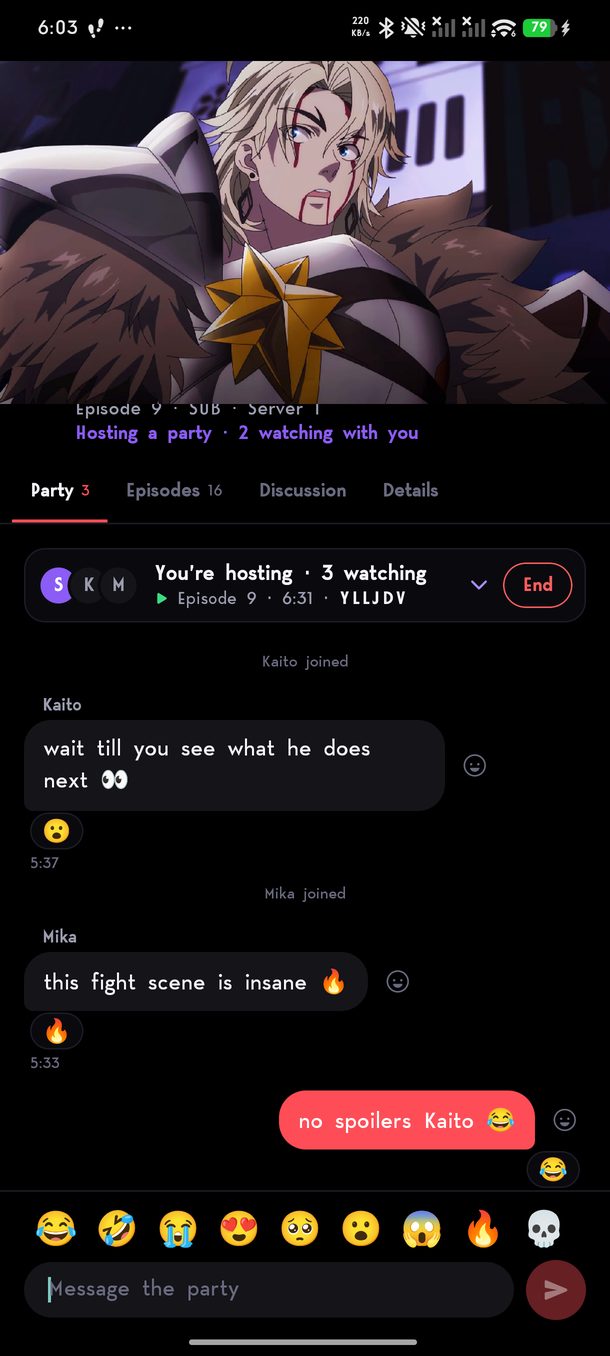
A watch party: the party bar with who is hosting and an End button, chat bubbles with reactions, and a row of quick emoji above the message box.

Everyone in step

Start a party from any episode. When the host plays, pauses, skips or moves on to the next episode, everyone’s player follows. Join halfway through and you land where everyone else is.

Chat while you watch

Every message is stamped with the moment in the episode it was sent, so you know which scene it is about. React with a tap, or drop in an emoji from the row above the box.

Public or private

Send a link or a six-letter code to the people you want, or make it public and anyone can join from the people button on Home.

The host is in charge

Guests follow along; only the host changes the episode. Leaving, or ending the party for everyone, is one button away.

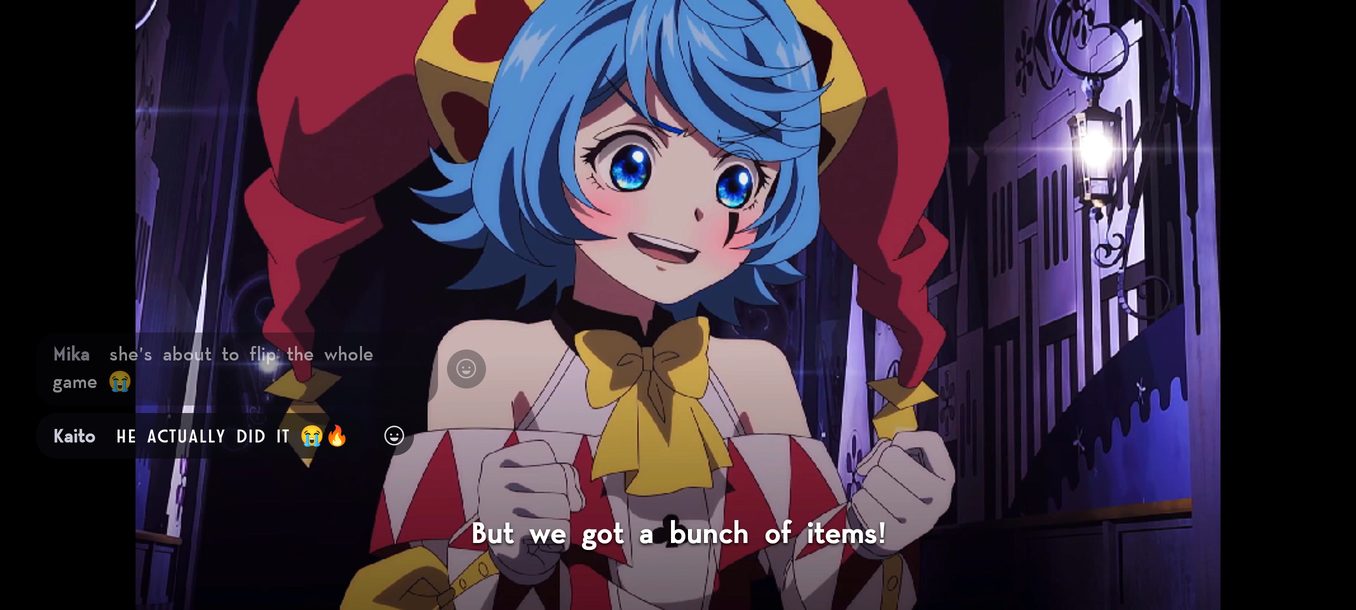
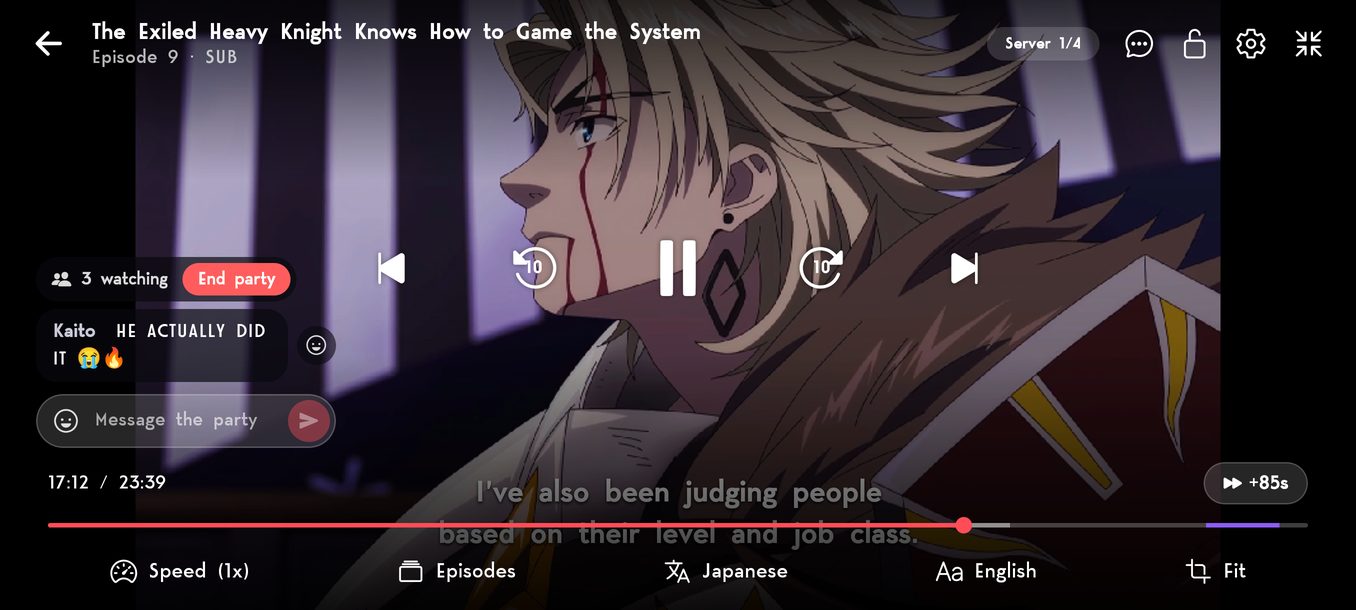
An episode in full screen, with party messages fading in at the bottom left, above the subtitles.
A message arrives
Full screen with the controls up: how many are watching, an End party button, the latest message and a box to reply in.
Controls up: reply, react or end the party

Chat in full screen too

New messages fade in at the corner, above the subtitles, and fade away again. Tap one to react or read the rest of it.

Answer without leaving

With the controls up there is a box to reply in and the emoji row beside it. A button in the corner hides the chat and counts what you missed.

Rankings

New in 5.0. Every episode you finish counts.

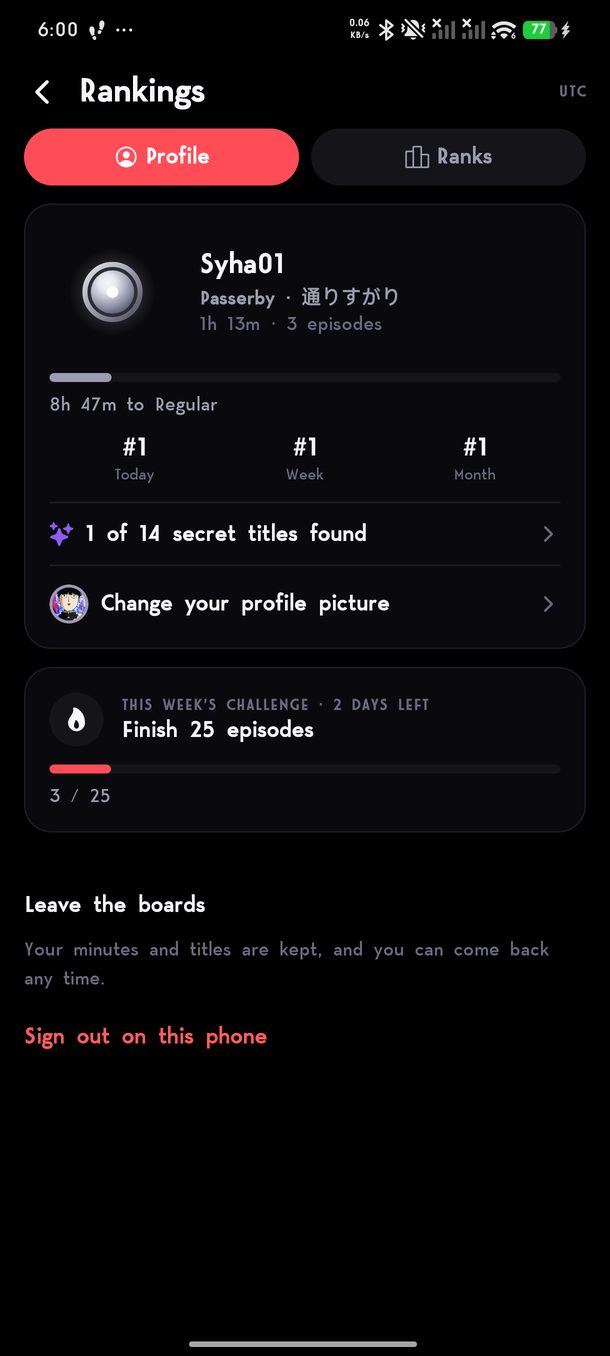
Your rank, hours watched, your place on today's, this week's and this month's boards, and the weekly challenge.
Your rank and the weekly challenge
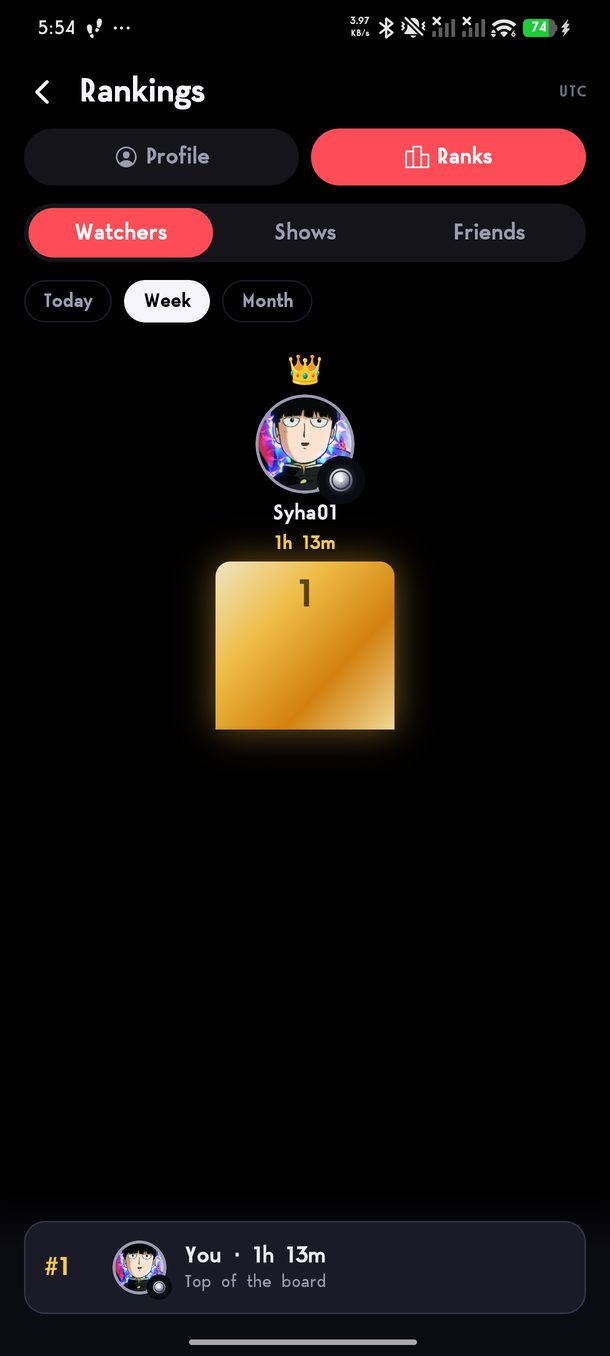
The weekly Watchers board, with the top watcher on a podium and your own place along the bottom.
The boards
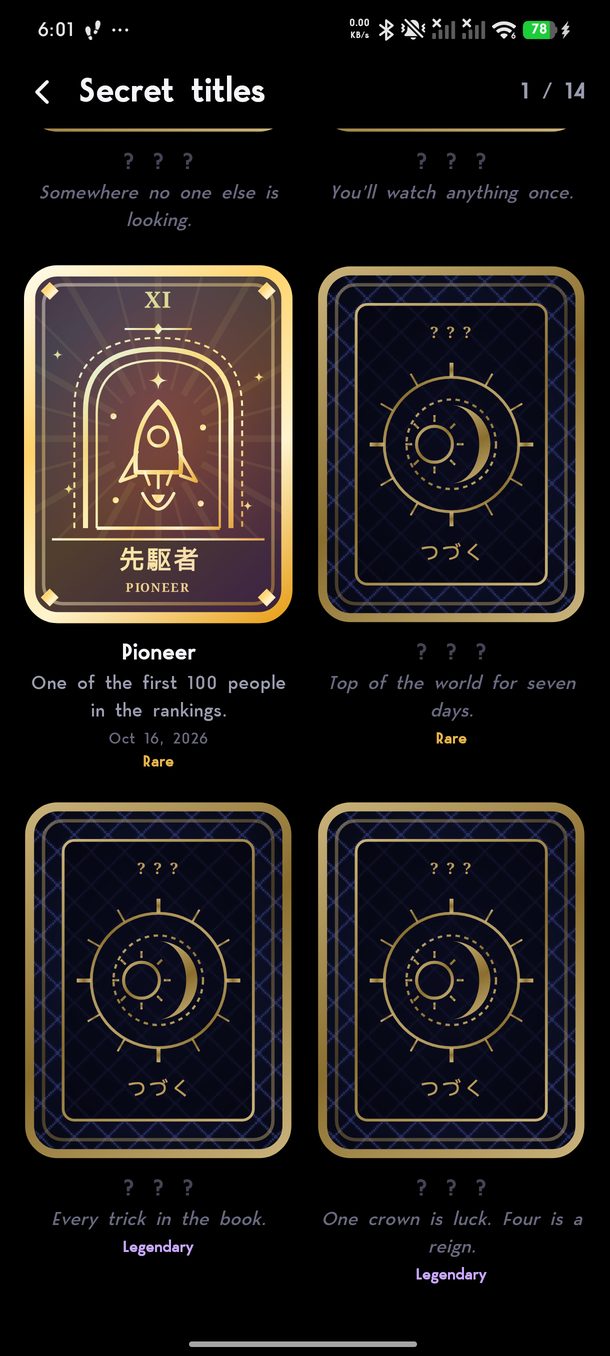
The secret titles deck, with the Pioneer card earned and the others still face down.
Secret titles

Eight ranks

Your hours climb from Passerby all the way to Tsuzuku. Join with a name of your own, or with your AniList or MyAnimeList account.

Boards and a crown

Who watched the most today, this week and this month, and which shows everyone is on. The week’s top watcher is crowned on Sunday night.

A challenge every week

A new goal each Monday: a number of episodes, new shows, a genre, days in a row.

Fourteen secret titles

Cards you earn for the way you watch. Nobody tells you how to get them, and the app shows how rare each one is.

Your picture

Any character on AniList, or a photo of your own, on every board you are on.

Friends

Follow people from the boards to see their hours next to yours, and what they are watching right now if they choose to share it.

Also new since 4.1

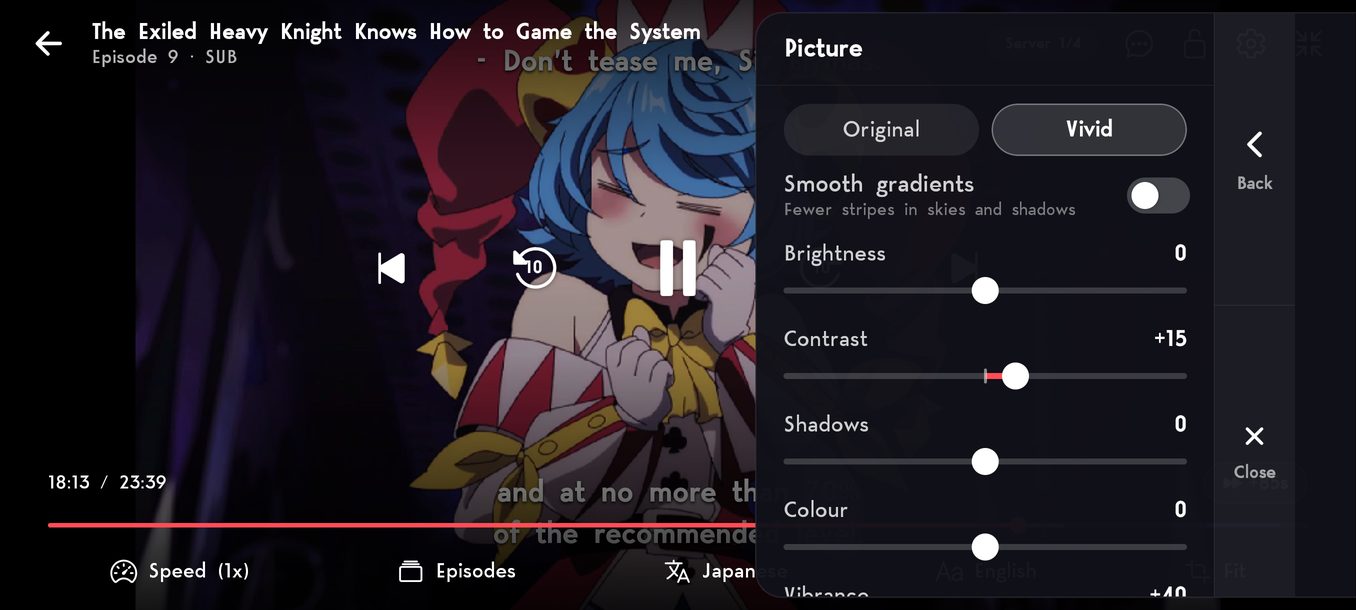
The player's Picture settings: Original or Vivid, smooth gradients, and sliders for brightness, contrast, shadows and colour.

Picture controls

Brightness, contrast, shadows, colour and sharpness in the player settings, or one tap on Vivid. Smooth gradients takes the stripes out of skies and shadows.

Your list, backed up

Saved shows, where you are in each episode and your settings, kept under your name and back on a new phone in one go.

Home your way

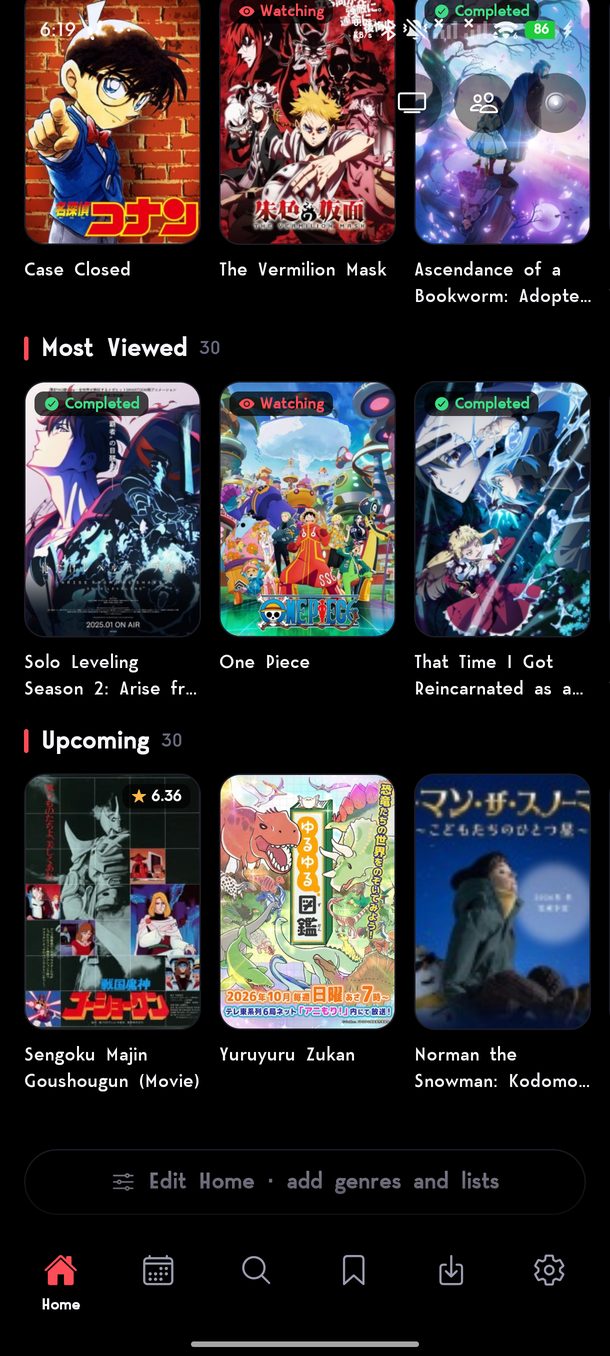
Edit Home, at the very bottom of Home, adds the lists and genres you want and puts them in your order. Share a list of shows with a link.

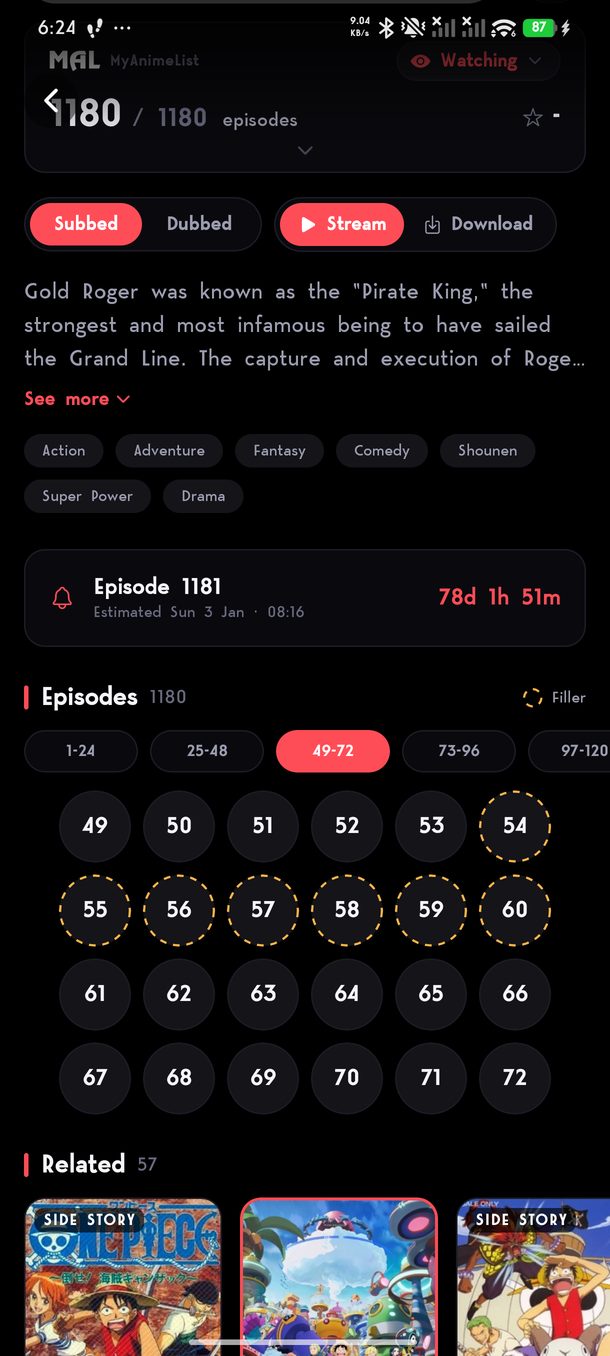
One Piece's episode list, with episodes 54 to 60 ringed in dashed amber and a Filler key above the grid.

Filler episodes, marked

Episodes made for the anime and not in the manga get a dashed amber ring in the episode list, with a key to say what it means. You can still play them.

Skip filler

Turn it on and Next and autoplay go straight past filler. The autoplay card says which run it is stepping over, and the next episode says what it skipped.

Keeps your place when a server fails

If a server stops partway through, the next one picks up at the same second, and the intro and outro skips come with it.

Lighter on data

The wallpapers on series pages only load if you turn them on, in Display or in setup.

Big fonts fit

Phones set to a larger or taller system font no longer cut off headings and titles.

Exports that ask again

If the folder you save episodes to is deleted or loses permission, Tsuzuku asks for a new one instead of failing every episode.

Only what you choose goes online. Joining the rankings sends the show, the episode number and its length for each episode you finish. Sharing what you watch, the backup and problem reports are switches in Settings, all off to start.

Saved and Schedule

Both rebuilt around one question: what can I watch next?

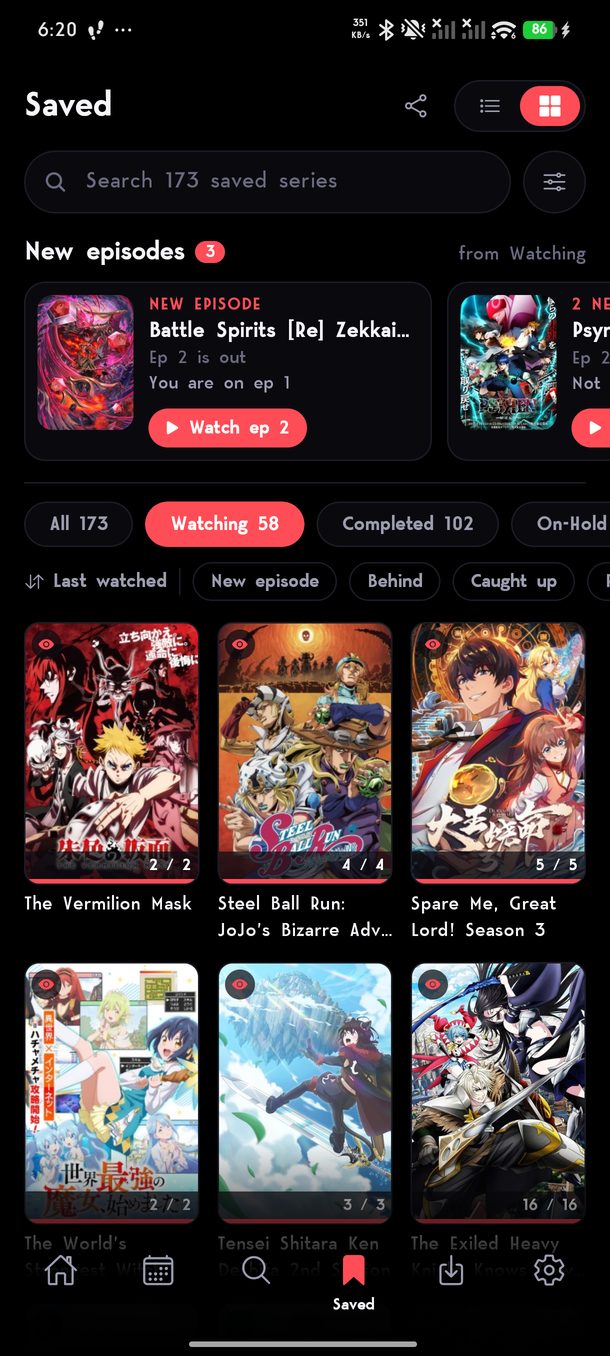
Saved: a search bar, a row of new episodes from shows being watched, the status tabs, quick filters and the posters.

New episodes first

Shows you are watching that have a new episode sit at the top, newest first, with which episode you are on and a button to start the next one.

Search, sort and filter

Find any saved series by name. Sort by last watched, recently added, title, your score or episodes left, and narrow it down by score, progress, airing, length or genre.

Quick filters

New episode and Behind under Watching, your score under Completed, short or long under Plan to watch — one tap each.

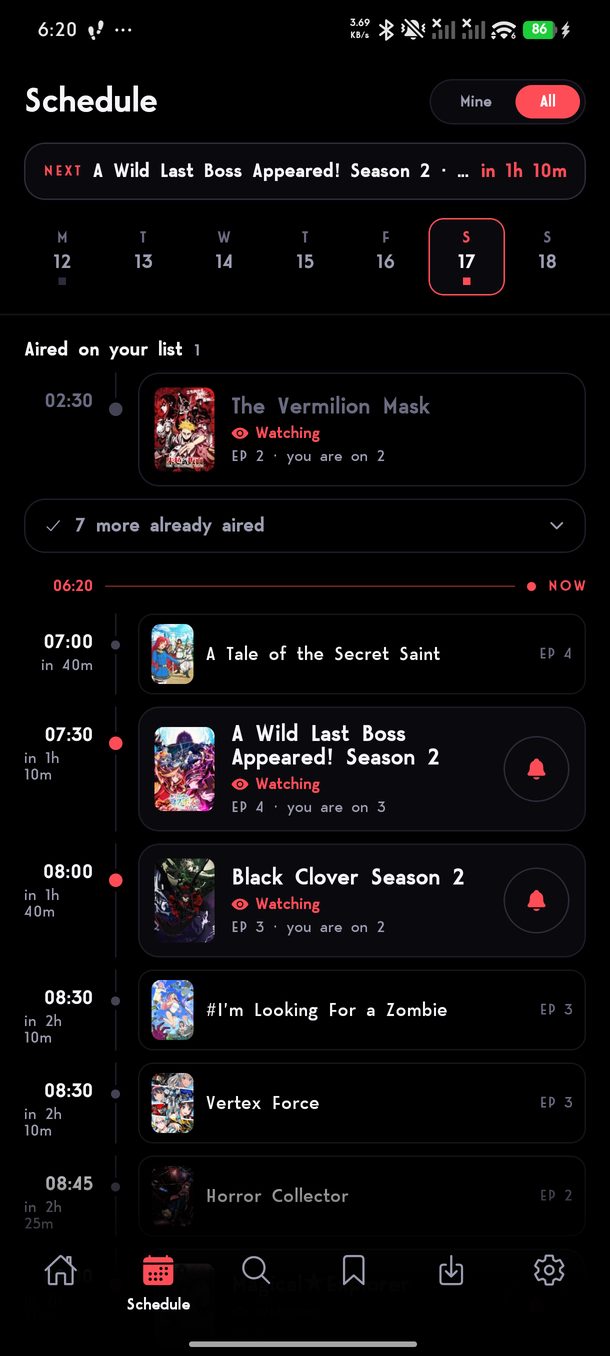
The schedule: the next episode on your list counting down, the week along the top, what has aired on your list, and today's episodes with reminder bells.

What is next, counting down

The next episode of something on your list sits at the top with how long until it airs, in your own time zone.

Mine or everything

See only the shows on your list, or the whole week. Episodes that have already aired on your list are gathered at the top of the day.

Reminders

Tap the bell on an episode and your phone tells you when it is out.

Nothing in between

Tsuzuku goes straight to the site it streams from, from your phone. There is nothing of ours in the middle that can go down and take the app with it.

No account needed

Open it and watch. Connect MyAnimeList or AniList only if you want your list to follow you, and nothing already on your phone is replaced when you do.

It fixes itself

When something breaks on the site Tsuzuku streams from, the fix arrives on its own the next time you open the app. Nothing to reinstall, nobody to wait on.

Nothing held back

No tiers, no upgrade, nothing kept for a paid version. Everything on this page is in the app you download.

The player

Built by someone tired of tapping the wrong thing in the dark.

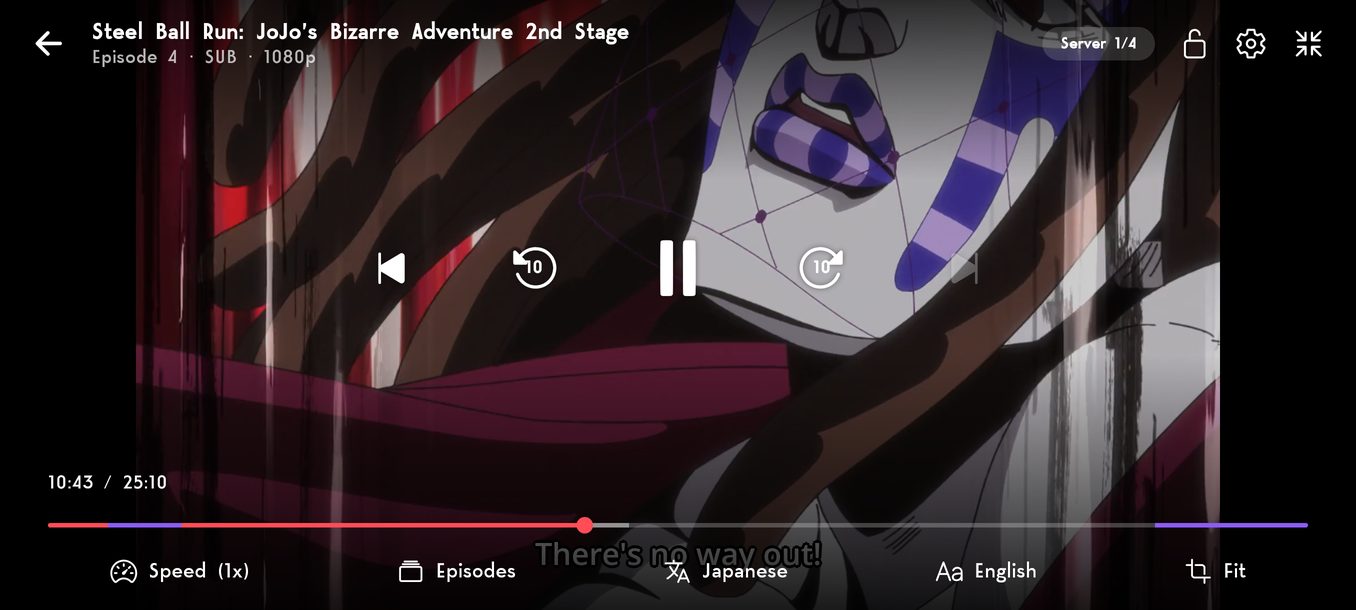
The Tsuzuku player in landscape, with the seek bar, quality menu and subtitles on screen.

Pick the quality yourself

Every quality an episode actually comes in, changeable halfway through without losing your place, and remembered for the next episode. Tsuzuku checks what is really on offer instead of showing the same list every time — one series has 1080p, 720p and 360p, the next only has 720p.

Taps that add up

Double tap either side to skip, and tapping again keeps adding to the same jump instead of starting a new one. Hold anywhere for double speed. Slide up and down on the left for brightness, on the right for volume. +85s gets you past the cold open and the opening in one press.

Brightness it gives back

Tsuzuku dims its own screen instead of changing your phone’s, so it never has to ask permission, and your phone is back to normal the moment you leave.

Sub and dub, side by side

Two separate episode lists rather than a number beside the title, and you can swap over halfway through an episode.

Subtitles that stay in time

Sometimes a dub’s subtitles were written for a different copy of the episode and slide out of time partway in. Tsuzuku works out how far off they are and puts them back where they belong.

Translate subtitles on your phone

Get a language once and subtitles are translated on the phone itself — nothing is sent anywhere. Settings tells you how big each language is before you download it.

Keep watching in a small window

Go home mid-episode and it carries on in a corner of the screen, subtitles and all, while you answer a message or look something up.

If one server won’t play, it tries the next

Episodes are usually on more than one server. Tsuzuku works its way down the list rather than giving up on the first one that refuses.

Offline

On the train, on a plane, anywhere with no internet.

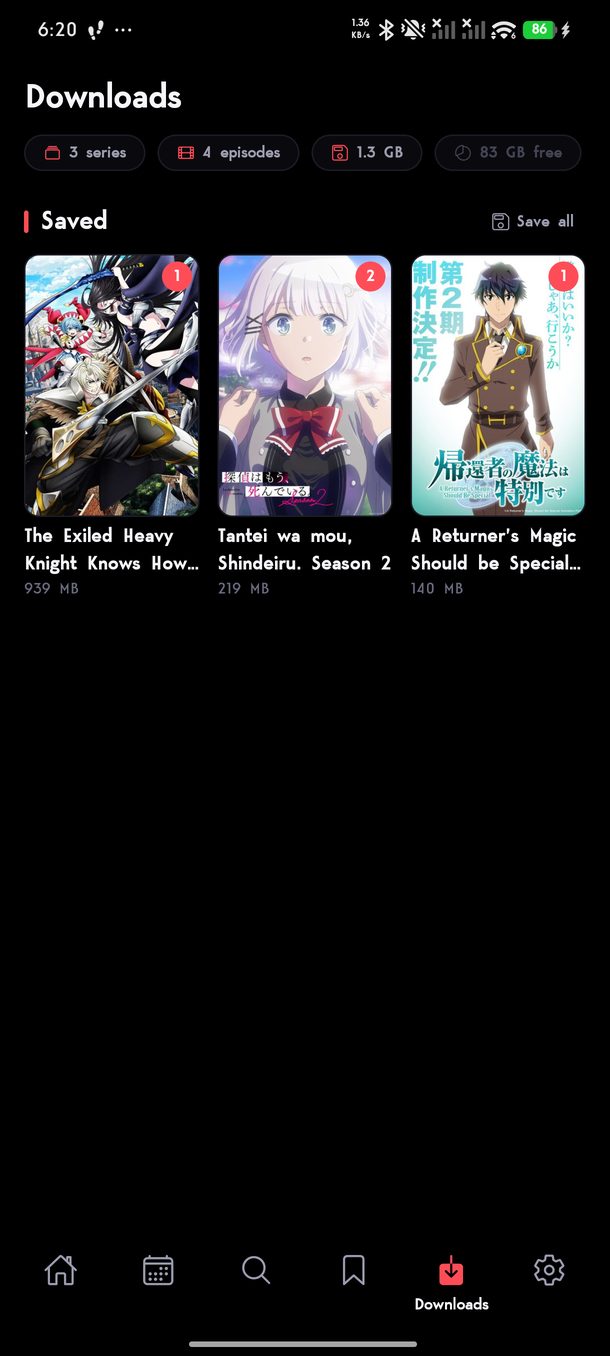
The downloads screen, listing saved episodes with their size and progress.

One episode, one file

An episode online is really hundreds of little pieces. Tsuzuku joins them into a single video as it downloads, so what ends up on your phone is one file the size of the episode — and you can send it on like any other video.

It keeps going when you leave

Switching away from the app or locking your phone doesn’t quietly stop a download, so a season queued before bed is there in the morning. If one does get interrupted it carries on from where it stopped rather than starting again.

Save at the size you want

Choose the quality to save at and every download takes the best one available up to that, whatever that particular episode happens to offer.

What you watch offline still counts

A downloaded episode plays on the same screen a streamed one does, so an episode you watch on a plane is in Continue Watching — and on your list — as soon as you are back online.

Your list

It keeps your list up to date without you opening it.

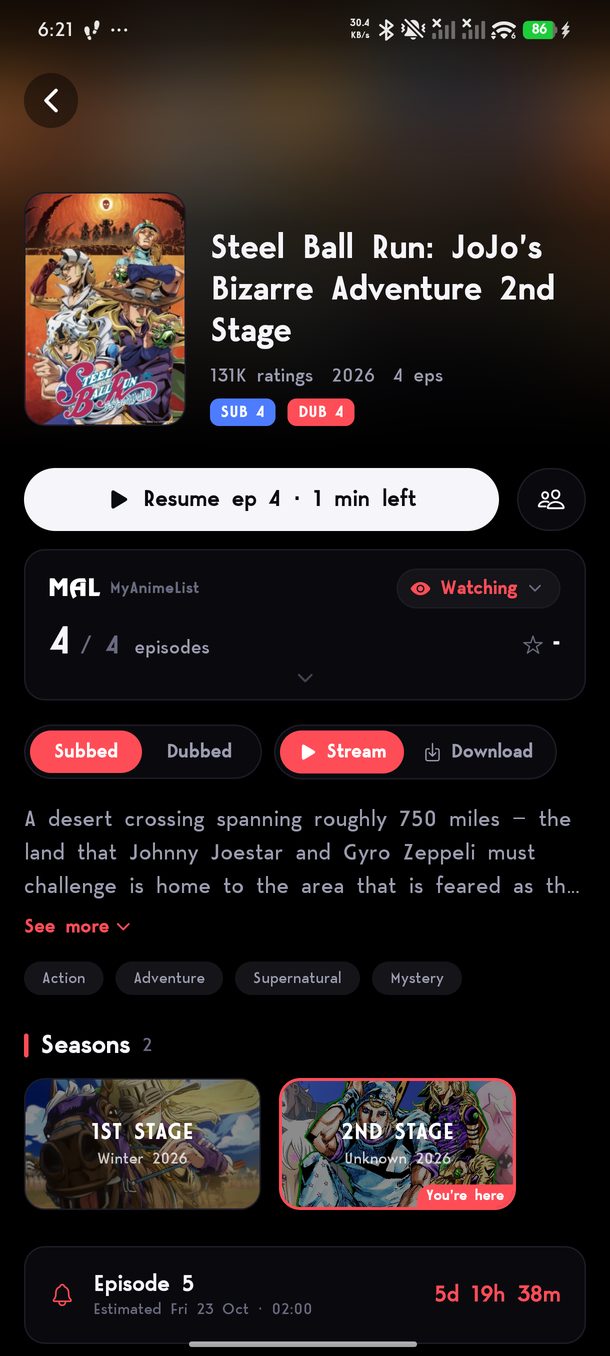
A series page: your MyAnimeList status and progress, sub and dub, stream or download, the seasons and a countdown to the next episode.

Connect MyAnimeList or AniList and finishing an episode here finishes it there. How far you have got, whether you are watching or on hold, your score, your rewatches and the dates you started and finished — all of it goes up as you watch.

  • Every episode you finish is ticked off
  • Your score, your status and your rewatches stay matched
  • The discussion thread for each episode, right on the series page
  • It won’t call a series that is still airing finished, just because you have caught up

  • The same, the moment you finish an episode
  • Your whole list comes across in one go
  • The description, cast and discussion come from the site you signed in to
  • A rewatch you are in the middle of stays a rewatch

Bringing a list across

Three hundred series, and you don’t sit there watching it happen.

You don’t wait for it

Tsuzuku takes your list and lets you get on with things, then looks each series up in the background — what you are watching first, then on hold, then plan to watch, and what you finished years ago last. They turn up as they are found, and closing the app only pauses it.

Nothing of yours is replaced

Signing in joins your list to what is already on the phone. Everything you have watched here stays exactly where it was.

The ones it can’t find

Anything it can’t match gets a screen of its own, so you can point it at the right series in a couple of taps instead of wondering where it went.

One list at a time

Signing in to the second signs you out of the first, on purpose — when two lists disagree there is no right answer.

Everything it does

In one list, so you can see what you are getting before you spend fifty megabytes on it.

Watching

  • Stream up to 1080p
  • Change quality mid-episode
  • Quality remembered for next time
  • Sub and dub as separate lists
  • Swap between them mid-episode
  • Subtitle timing corrected for you
  • Translate subtitles on the phone
  • Double tap to skip, taps stack up
  • Hold for double speed
  • Slide for brightness and volume
  • Skip the intro in one press
  • Skip intros and outros on their own
  • Drag across the picture to seek
  • Previews of the scene as you scrub
  • Previous and next episode in the player
  • Brightness, contrast, colour and sharpness
  • Skip filler episodes
  • Fit, zoom, stretch, 16:9 or 4:3
  • Keep watching in a small window
  • Theatre mode
  • Lock the orientation
  • Set subtitle size, font and background
  • Falls back when a server won’t play

Offline

  • Download any episode
  • One file per episode
  • Resumes after an interruption
  • Keeps going when you leave the app
  • Finishes overnight with the screen off
  • Choose the quality to save at
  • Save episodes to your phone, subtitles inside
  • Save every download at once
  • Smaller downloads, down to 360p
  • A second source when the first won’t download
  • Share a saved episode like any video
  • Offline watching still counts
  • See what each download costs you

Finding things

  • Continue watching, to the minute
  • What’s airing this week
  • Countdown to the next episode
  • Search by name
  • Browse by genre
  • Filler episodes marked
  • Put your own rows on Home
  • Synopsis, cast, year and rating
  • Every season in order
  • Episode discussion threads

Your list

  • MyAnimeList sync
  • AniList sync
  • Episodes ticked off as you watch
  • Status, score and rewatches
  • Start and finish dates
  • Import your whole list
  • Matching runs in the background
  • Fix anything it can’t place by hand
  • New episodes of what you watch, first
  • Search, sort and filter your list
  • Your score on every Completed poster
  • Back it up and bring it to a new phone

The app itself

  • Free
  • No account required
  • No ads
  • Updates arrive on their own
  • Choose your own colours
  • True black for OLED screens
  • A setup that fits it to your internet
  • Your own accent colour
  • Watch parties with chat
  • Rankings, challenges and secret titles
  • Follow friends

And the rest

The parts you’d only notice if they were missing.

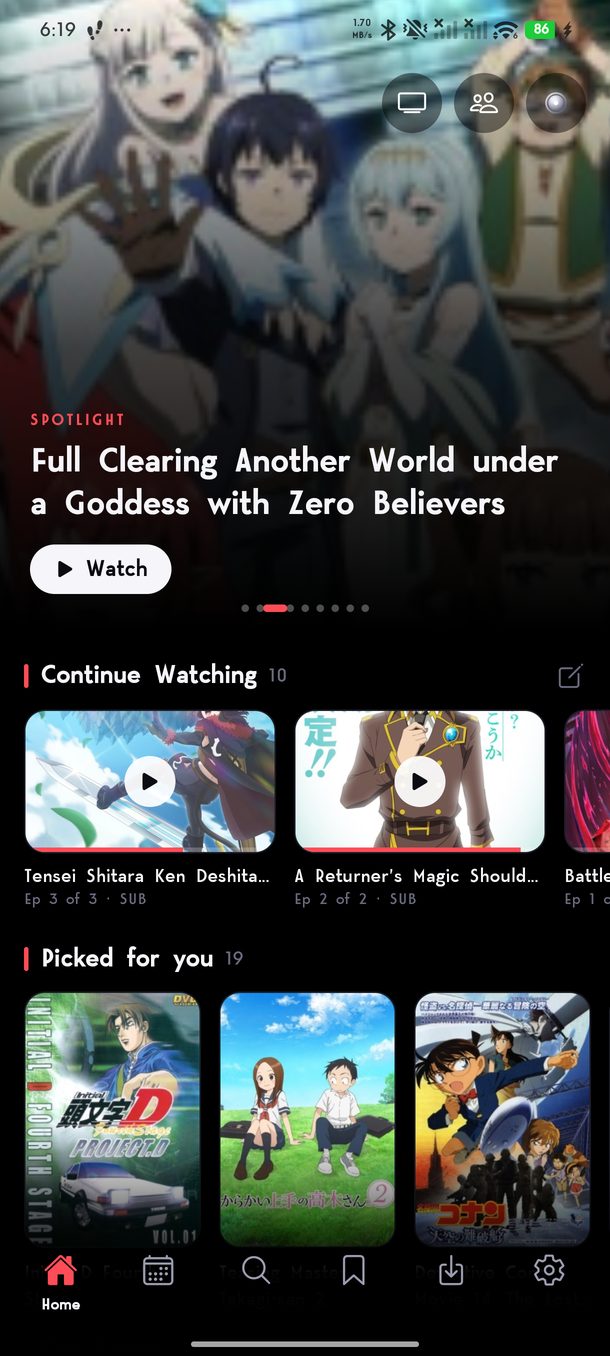
Home: a spotlight series, the TV, watch party and rankings buttons, Continue Watching and Picked for you.
Home
The bottom of Home, with the Edit Home button for adding genres and lists.
Edit Home, at the bottom of Home
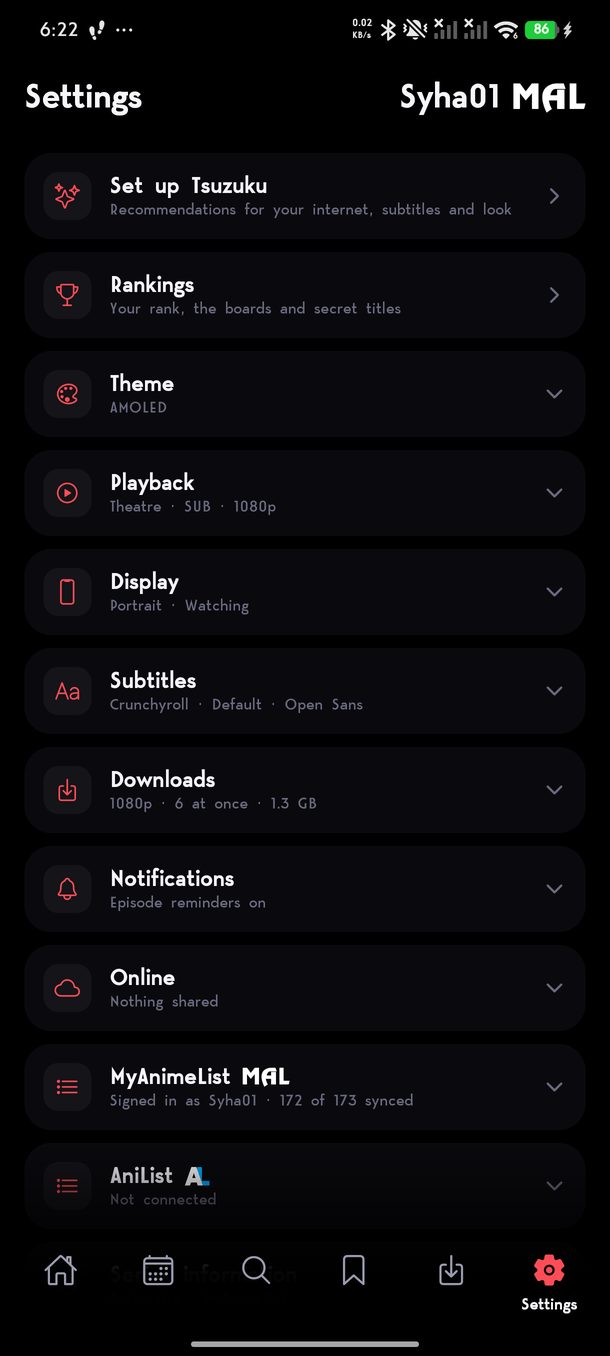
Settings: setup, rankings, theme, playback, display, subtitles, downloads, notifications, online and your lists.
Settings
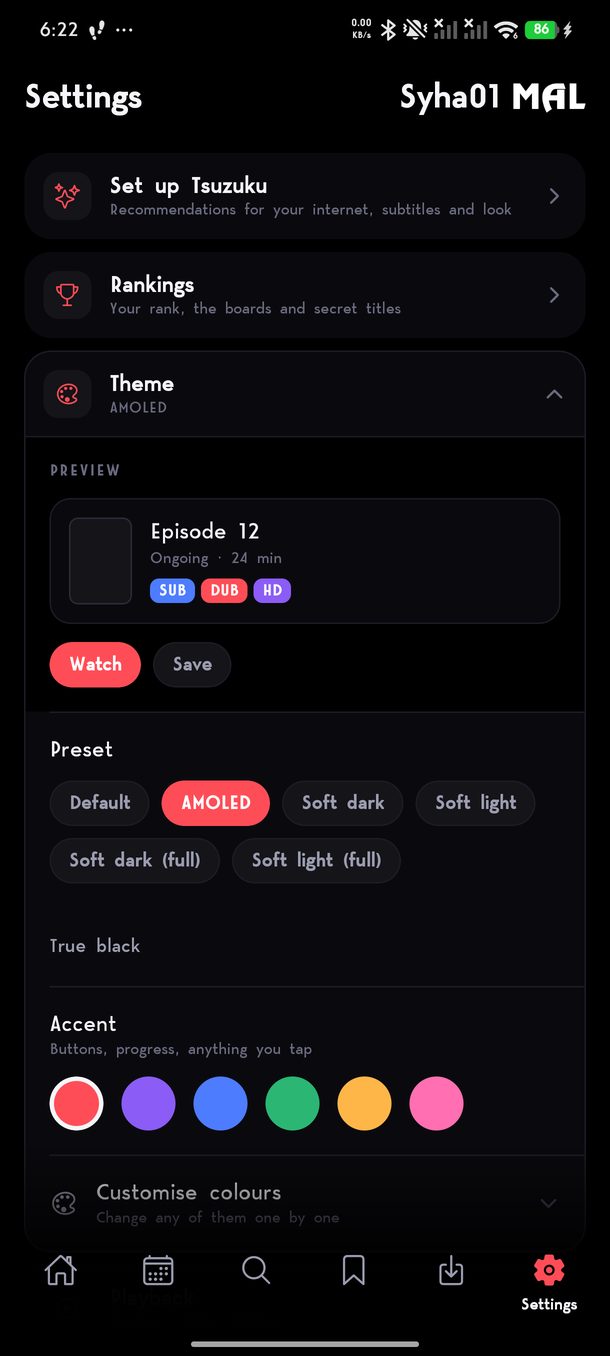
The theme settings: a preview, colour presets, true black and the accent colours.
Themes and accent colour

Continue watching

Opens on what you are partway through, at the episode and the minute you stopped.

Know what’s next

What’s airing this week, and when the next episode of anything you follow is due.

Search and genres

Find it by name or browse by genre, with the description, cast and year on a proper series page.

Episode lists open where you are

The episode numbers start where you are watching, not back at 1–24 when you are on 1,177.

Episode discussion

The thread for the episode you just finished, from whichever list you signed in to.

Theatre mode

Fill the whole screen or keep the page around the player, and lock it to portrait, landscape, or let it turn.

Make it your colours

Start from a preset or choose the colours yourself. Change the background and everything else follows it, and there is a pure black one for OLED screens.

Subtitles the size you want

Text size, background and font, set once and used on every episode after that.

It tells you what changed

When an update arrives, a short note says what is new in it — once, and then never again.

Get it

Put it on your phone, then tell us what’s broken.

Tsuzuku is made with a small group of people who actually watch on it. New versions go up in the Discord first, it’s where the bugs get found, and it’s where what to build next gets argued about. Come and take a side.

Before you install

Works on Android phones from the last decade or so. Take the first download; if Android refuses to install it, your phone is 32-bit and the universal one is the same app built to run on it. It installs from the file rather than an app store, so Android will ask you once whether you trust it. Test versions install as a separate app with their own downloads and list, so trying one never costs you the version you already have.